
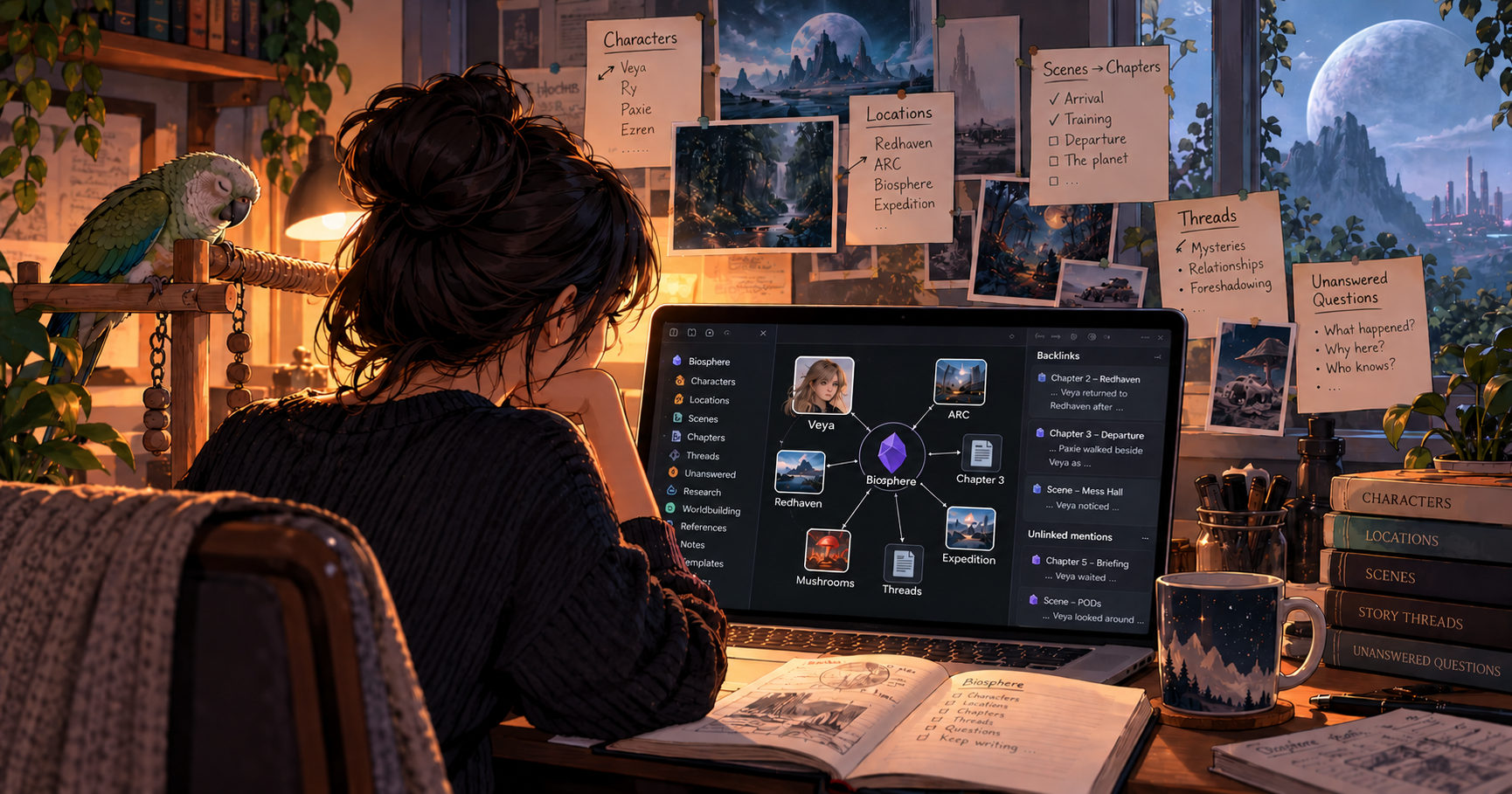
I’ve been using Notion to organize Biosphere, and for the most part, it worked. But there was one feature I kept wanting more from: backlinks.
Obsidian doesn’t just tell me that another note links to the one I’m looking at. It shows me the context in which that link appears.
That’s incredibly useful when you’re writing a novel.
If I’m looking at Veya’s character page, for example, I don’t necessarily want a list telling me that she’s mentioned in Chapters 2, 3 and 5. I want to see why she’s mentioned there. Obsidian shows me the surrounding text without requiring me to open every note individually.
Even better are unlinked mentions. Obsidian can find places where I’ve written “Veya” without actually linking to her character note. I can quickly scan those mentions and decide whether there’s anything I’ve overlooked or want connected to her page.
Once Biosphere started accumulating characters, locations, scenes, mysteries and story threads, that became a pretty compelling reason to switch.
The transition itself was…less compelling.
Obsidian has a surprisingly steep learning curve for something that initially looks so simple. 😂 The walkthrough below makes my setup look fairly straightforward, but getting there involved a lot of experimenting with plugins and figuring out how Obsidian expects information to be organized.
One of my biggest problems was notes. I’d create one, assign it to a folder and then…it was just there. As the number of notes grew, folders alone weren’t giving me the kind of organized overview I’d had with Notion’s databases which allowed me to see at a glance different meta data I’ve assigned to the page.
The breakthrough was combining Obsidian’s Bases (i.e., basically databases) with templates.
Now when I create something like a character, scene or location, its template gives it the appropriate properties that Bases use to automatically gather and display those notes in one place. That allowed me to create what is essentially a MOC (Map of Content), or table of contents, for each major part of the novel.
Suddenly I had the part of Notion I’d been missing—the ability to open one page and see an organized overview of my characters, locations, scenes or chapters—while keeping the backlinking and interconnectedness that made me want Obsidian in the first place.
It took some trial and error to get there, but my Biosphere vault now feels like it was built around the way I actually think while drafting a novel.
Here’s the full walkthrough of how I’ve set it up:
The Setup at a Glance
The finished system is actually pretty simple. I have templates for the different types of information I regularly create—characters, locations, scenes, chapters and so on. Those templates give each note consistent properties, which allows Bases to automatically collect and organize them into the following major MOCs:
Characters — Individual notes for the major players in the story, including who they are, their relationships, their skillsets and anything I need to remember while writing them.
Locations — Redhaven, the ARC facilities, the expedition itself and eventually the places the crew encounters on the Biosphere. Each location gradually builds in the background as I come across them in the story.
Scenes & Chapters — This is where the actual book starts taking shape. I can work with individual scenes while working out how they fit into chapters and the larger story.
Threads — These are ideas that stretch across multiple scenes or chapters: relationships developing, mysteries unfolding, information being planted, promises I’m making to the reader, and things that need to pay off later.
Unanswered Questions — If I don’t know something yet, I don’t have to stop writing to solve it. I can record the question and keep going. Later passes through the story become opportunities to answer those questions.
Then Obsidian’s links and backlinks connect everything together. I can open a character and see where they’re being discussed, jump directly to related material, or scan unlinked mentions for connections I haven’t formally made yet.
For the parts of a novel that don’t fit neatly into a traditional outline: such as story threads (+ Lore & Discoveries), unanswered questions and loose ends, the linking feature + templates + Bases work super well to help keep track of everything so nothing gets dropped:
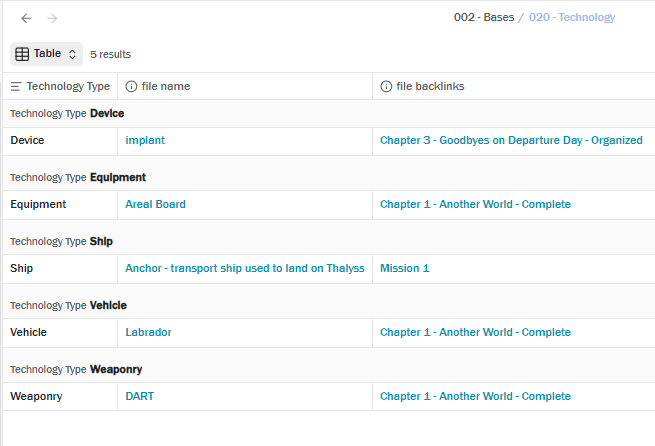
That’s really what I wanted from the switchover: a system that allows me to draft with abandon and not have to worry about dropping the ball on something, because everything unknown or new quickly gets “tagged” (i.e., has a page created) and “sorted” (i.e., automatically placed in the correct MOC for quick reference later).
So while the system in the video looks fairly tidy now, it definitely didn’t spring into existence that way. It took a fair amount of experimenting to understand how I wanted Obsidian to work for me.
Now that it does, I can spend considerably less time worrying about keeping track of everything and focusing more on actually creating.
Appendix
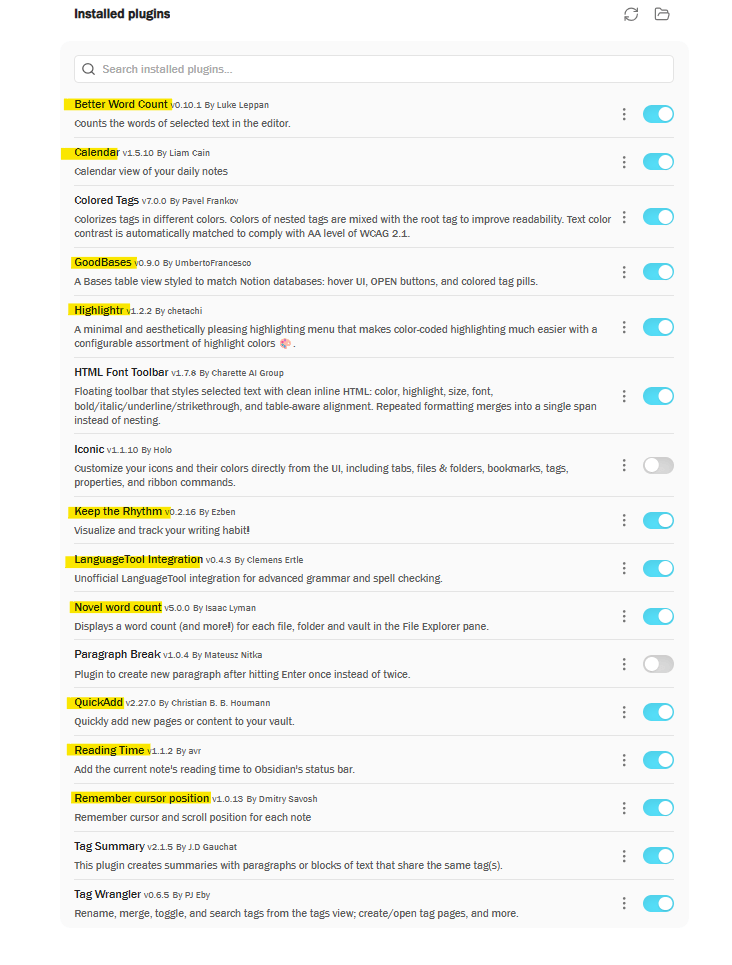
Plugins for Novel Writers:
Here are the plugins I actively use for writing my novel on Obsidian:
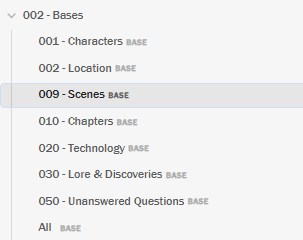
Folders
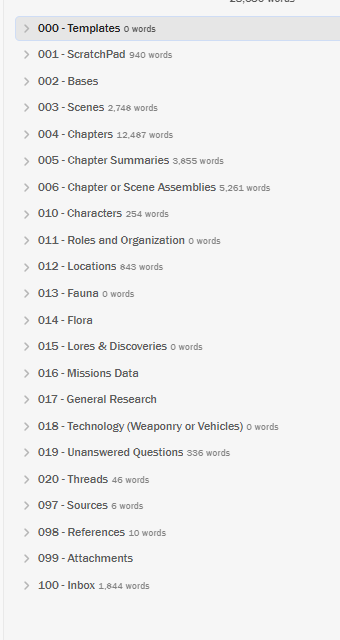
Because Obsidian is finicky and doesn’t let you easily rearrange folders, this is how I’ve set up the major folders in my vault:






Leave a Reply